This is how to post a picture

30ccpickup

Well-known member
For a short tutorial on posting a picture on the Ford Barn when starting a new thread open the below attachment Posting Pictures.pdf. The directions are the same when adding a picture to someone else's thread. The only difference is you start at the bottom of their thread by clicking on Go Advance under Quick Reply. (Scroll to the bottom of this thread and you will see what I am talking about.)

If your picture is to large:

Open your picture in PAINT (Start-All Programs-Accessories-Paint). In Paint open Image-Stretch/Skew change your Horizontal and Vertical precentages to something smaller, the percentages must be the same. Re-save your work under a defferent name.

Additional tip: When saving, below Filename: is Save as type: change it to JPEG.

Some Ford Barners like to use Photobucket. First, setup an account at http://register.photobucket.com/?ref=joinushttp://register.photobucket.com/?ref=joinus upload your pictures then follow the steps below.
1) Double click on the photo

2) To the right of the photo it says "Share this photo"

3) Right click on the code you want copied, usually the img code

4) Once you have clicked on the code it will flash yellow and say "copied"

5) Left click in the message you are typing and click paste
 

Attachments

Last edited:
Good Instructions, for Beginners. but You might add to your Instructions, They must click on "Go Advanced" first to get to the Additional Options Page, to up-load Photos.

Thanks Jazzjr, is this better?

Teachers deserve A's too!

Much Better and Here is an Apple for You Teach
 

Attachments

  • babygotapple.jpg
    babygotapple.jpg
    26.3 KB · Views: 21
Last edited:
I use photobucket, then for forums I use the tag code and cut & paste.

[IMG]http://i94.photobucket.com/albums/l117/1955ford/0cd0d6cf.jpg
 
Thanks for the help. My problem was too large of a picture. A message showed the up load had failed and a security code was the problem. The Barn sent me a message that the picture was too large and the picture could be reduced with the camera soft ware. I tried everything and even updated all of the security stuff on my computer. I read the directions for the camera. No information about reducing the size of the picture. I went to the camera menu and selected picture size. I had to take the pictures again. I had posted pictures on this site before with no problems. I have successfully posted pictures today on the spring spreader tread. Now I plan to hike up to the Gordon Smith compressor and take those pictures again.
 
Thanks for the help. My problem was too large of a picture.

You will never have too large of a picture to use with Photobucket. Everything is automatically resized with them.
Simply got to www.photobucket.com and open a free account. Upload you photo there. Cut and paste the IMG Code from there on this page and you have a picture. No resizing issues ever.
MyAA.jpg
 
Additional steps (looks like a lot but is really easy once you try it):

under "Additional Options"
select "Manage Attachments"
click "Browse" Button under "Upload From Your Computer"
a pop up browser window opens
Select the file you just saved and click on "Open"
browser window closes, you see the file you selected in the browse space
click "Upload" button on right side
you will see the file name disappear from browse window
but it shows up under new label "Current Aattachments"
then at bottom of pop up window select "Close This Window" button
this attaches the photo to your posting
now type in your remarks
click Preview Post to look at your post before it is posted
if you like it click "Submit Reply" button
else make changes

Hope it helps
 

Attachments

  • DSCN1176 resized for fordbarn.jpg
    DSCN1176 resized for fordbarn.jpg
    92.3 KB · Views: 39
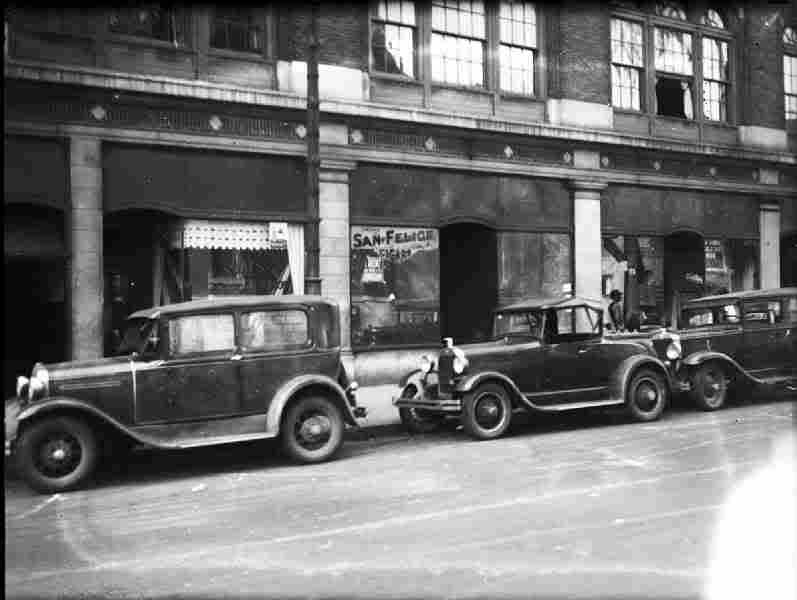
The truck is good at 38Kb but the 3 cars is not.

It is 297 Kb.

It should be shrunk in resolution for dial up and pay by meg guys .

Here's the same pic at 21 KB, less than 10% of the size.

0cd0d6cf2.jpg
 
16 s with 21s in fender well
 

Attachments

  • 162923_471676438026_586108026_5876454_7586759_n.jpg
    162923_471676438026_586108026_5876454_7586759_n.jpg
    88.1 KB · Views: 28
hmmm.. I just click on the paper clip icon above message window, then click browse, go to my pictures (or where ever the picture is) and then click upload.
 
Last edited:
I have just tried the "paper clip" routine. If I did it right there should be two pictures of my '30 Sport Coupe in front of a vintage trolley. One pic should be in color and one in sepia. Whoops both are in color, but the "paper clip" is a very simple way to post pics.
 

Attachments

  • SportCoupewithTrolley2.jpg
    SportCoupewithTrolley2.jpg
    98.3 KB · Views: 13
  • SportCoupewithTrolley.jpg
    SportCoupewithTrolley.jpg
    89.4 KB · Views: 15
Last edited:
Back
Top