Better Picture Hosting Site?

Old Henry

Well-known member
I have just lost my 3rd account on Panoramia where I have been uploading my photos to post here. Don't know what happens but it just disappears with all of my pictures that will no longer show in any of my posts. Where are any of you uploading your pictures to put in your posts?
 
I leave them on my computer, then upload them when I'm posting. Its the little paperclip icon across the top of the message block where the font sizes are. Doesn't work in "quick reply" mode.
 
Why do people go to an outside site? Is this to enable higher resolution? I always just "Go Advanced" and take the pictures off of my camera cars. What am I missing?

Charlie Stephens
 
Why do people go to an outside site? Is this to enable higher resolution? I always just "Go Advanced" and take the pictures off of my camera cars. What am I missing?

Charlie Stephens

Look at my first response (#2) to this new thread and you'll see: http://www.fordbarn.com/forum/showthread.php?t=63554 . The big picture is "imbeded" meaning that the picture really isn't on the FordBarn site but is on the PhotoBucket site. All that's on the FordBarn site is the address/URL for that picture which causes it to show up when the page is displayed. The second small picture is the thumbnail image that you have to click twice on to see it bigger.

Uploading the pictures is much easier but just posts a thumbnail that you have to click twice on to enlarge it then click back to get out of it. And that has a size limit of 800 pixels for a JPG image.

"Imbedding" the image by using the Insert Image icon shows the picture full size without any clicking and you can make it as big as you want although anything bigger that 700 pixels wide is wider than this page. Also, if you want to do a slide show with narration as I did for my Death Valley trip here: http://www.fordbarn.com/forum/showthread.php?t=62705&page=2 you don't have the control of arranging the pictures and text if you just upload the pictures.
 
Last edited:
I use picturetrail.com, it's free and works great and easily gives IRL for the pictures, however I use google "picasa" to resize all my photo's for easy posting before I bring them over into picturetrail, the reason for that is I have never found an easier free program that will let you resize and do it proportionally so the photo looks as good as it does when it was taken.
 
First was the globe paper clip

This is the photo ICON.

14423836_VnwSR7


didn't work
 
I just upload from my computer to here. Don't use any host. I use windows picture editor that comes with windows to crop or resize pics.
Lee
 
Wow - scotch tape, without the tape maybe? :rolleyes: I'll have to try that....

I use photobucket as well, have for years and have never lost a picture. Lots of options too, public, private, share thru facebook... And they have a free option or you can do premium that's something like $25 year for unlimited uploads and some other features.

Lots of options to upload pics, it's personal preferance - and a matter of finding them.
 
I use picturetrail.com, it's free and works great and easily gives IRL for the pictures, however I use google "picasa" to resize all my photo's for easy posting before I bring them over into picturetrail, the reason for that is I have never found an easier free program that will let you resize and do it proportionally so the photo looks as good as it does when it was taken.

Except with Photobucket you don't have to resize.;)
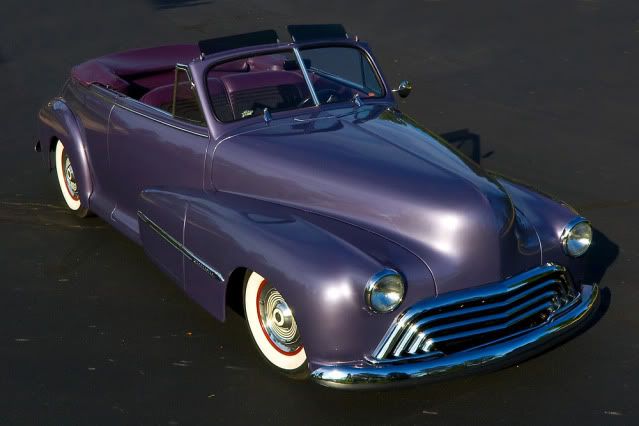
I take my photos in very high resolution and this is what they look like when I post on the internet thru Photobucket.

The nice thing about using a photo hosting site is you just upload the photo once to it then you can use that URL to any website at any time. You don't have to load it to each site everytime you want to post that photo. I can't tell you how many times I've posted the following photo online yet I only uploaded it once to Photobucket.

BigOldsstatic.jpg
 
I save digital photos on my computer and use the "go advanced" function to download them. You can also access anything else you have saved on the computer.
 
Back
Top